Build the Discord bot features your server is missing
A question in #general every morning, or a giveaway that draws its own winner. With Custom Commands V3 you describe a feature like that to your AI assistant or build it in the editor. It then runs on your own bot.
Animation: the idea "A question in #general every morning" becomes a flow called Daily question. A schedule starts it every day at 09:00, then four steps count the question, create the message, send it to #general and react to it. A test run passes, the flow is switched on, and the bot Lantern posts the question of the day in #general at 09:00. Daily question then appears as an enabled module in the Custom Commands V3 overview. The Custom Commands V3 overview in the SCNX dashboard listing flows and installed apps, each with an on/off switch.
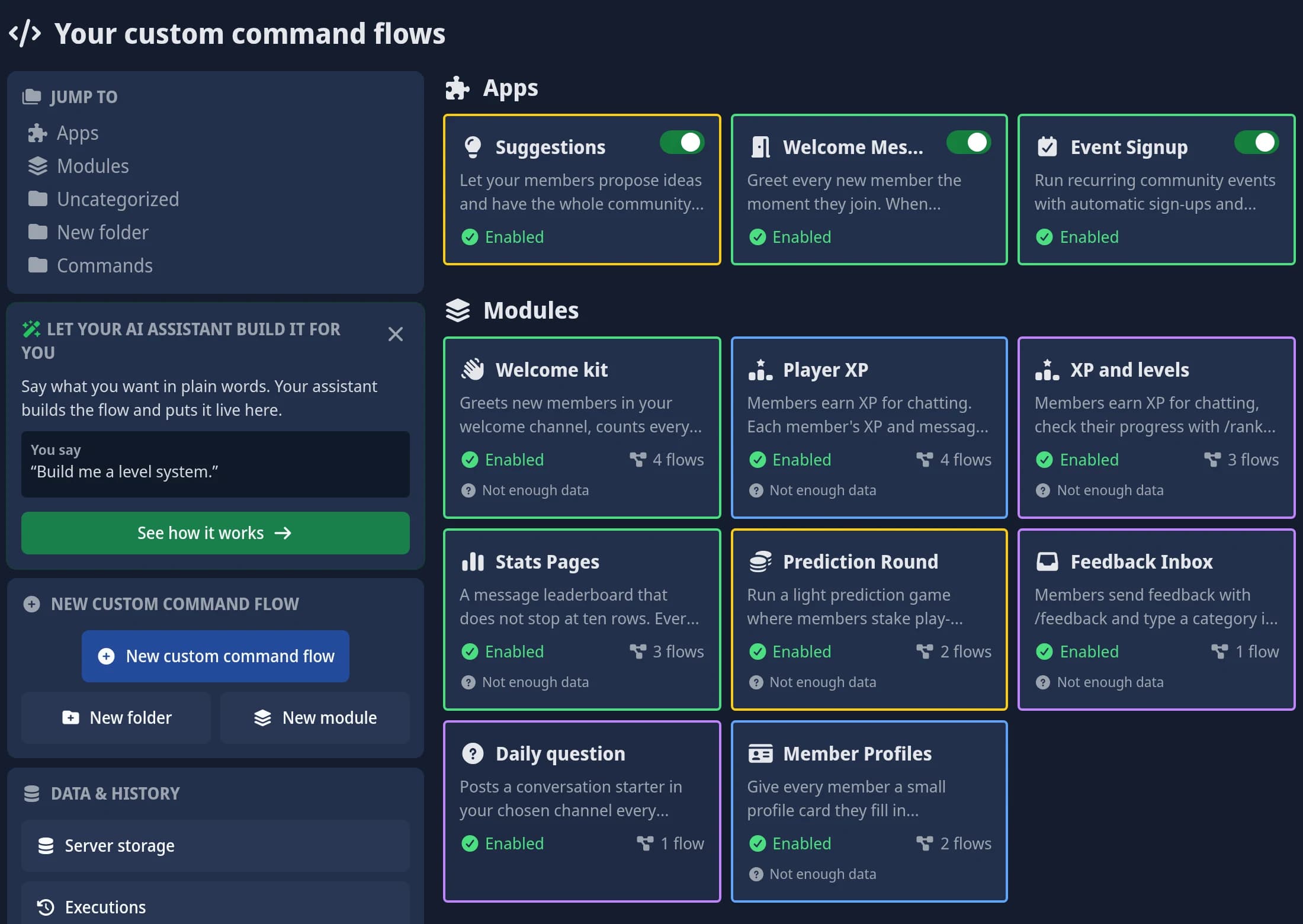
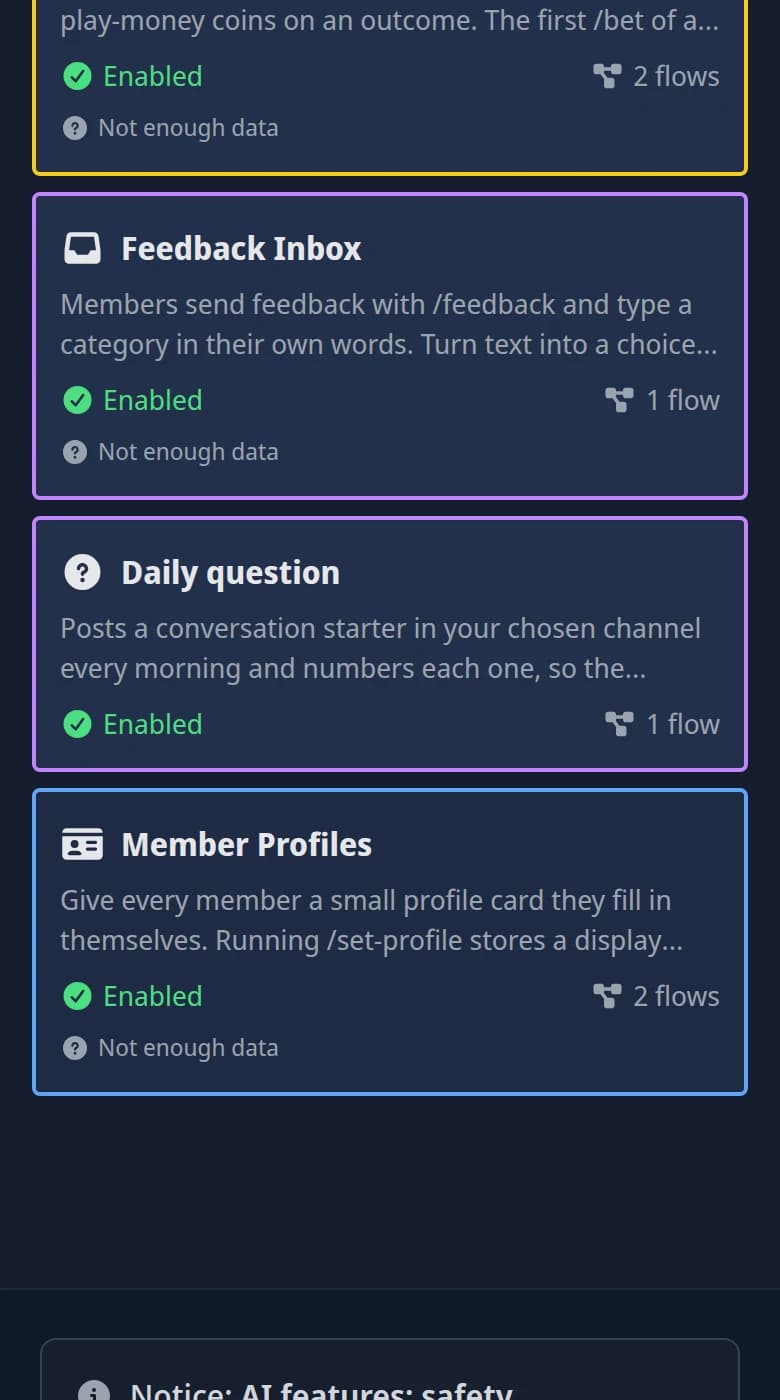
Illustration. The real interface may look different.
How the daily question is built
Post a new question in #general every morning at nine.
In V3 that sentence is a flow: a trigger that starts it and four steps that run in order.

Screenshot from our test server. Your dashboard may look different.
The trigger
Here it is a schedule, every day at 09:00. A slash command, a button, a new member or a reaction can start a flow as well.
The steps
Count which question is next, build the message, send it to #general and add a reaction. Each step can use what the one before it produced.
Illustration. The real interface may look different.
In Discord
The question is posted under your bot's name and avatar. mira answered four minutes later.
Ask your AI assistant for it
Connect ChatGPT, Claude, Gemini or another assistant to your server once. It reads your channels and roles before it builds anything, and what it builds arrives as a tested draft that stays off until you switch it on.
You
Post a question of the day in #general every morning at 9.
Your AI assistant
- Checked your server: #general exists and Lantern can post there.
- Built a draft: every day at 09:00 it takes the next question from your list and posts it in #general.
- Ran a test for 09:00. Nothing was sent.
It's saved as a draft. Should I switch it on?
A demo with four prepared ideas. The real conversation happens in the AI app you already use.
More on building with AIIn Discord
Illustration. The real interface may look different.
Or build it in the editor
A flow is a trigger and the steps that follow it. Before you switch one on, a test run shows what each step would do without sending anything.
What members see
Test run
- Trigger: nova joins (simulated)
- Sent a welcome message to #welcome
Passed. Nothing was sent.
Illustration. The real interface may look different.
Install a finished feature as an app
Bigger features need several flows. An app bundles them and adds a settings page, so whoever installs it picks the channel and the time in a form and never has to open the editor. Server owners publish their apps on the marketplace.

Screenshot from our test server. Your dashboard may look different.
You decide what goes live
Daily question
Schedule, every day at 09:00
Test run
4 steps checked. Nothing was sent.
Your V2 commands
Still running

Screenshot from our test server. Your dashboard may look different.
Test runs
A test run goes through every step and shows what it would do, without posting a message or giving a role.
About testingEmergency stop
One button halts every flow on your server. Nothing is deleted, and the flows run again once you lift the stop.
About controlDrafts
Whatever your AI assistant builds arrives as a draft, switched off. It goes live when you switch it on yourself.
Automatic stops
A flow that runs too often or for too long is stopped automatically, and the dashboard shows where your server stands.
More examples from Lantern Lounge
Each has its own page that walks through the flows behind it.
See all examplesIllustration. The real interface may look different.
Questions about V3
No. With an AI assistant you describe what you want and it builds it. The editor is visual, but larger builds take practice, a bit like a spreadsheet. Some ideas don't fit yet.
Switch it on for your server
The beta is open to every server with an SCNX bot. The owner or a co-owner switches it on, and the bot restarts once.
Your V2 custom commands keep running next to it.